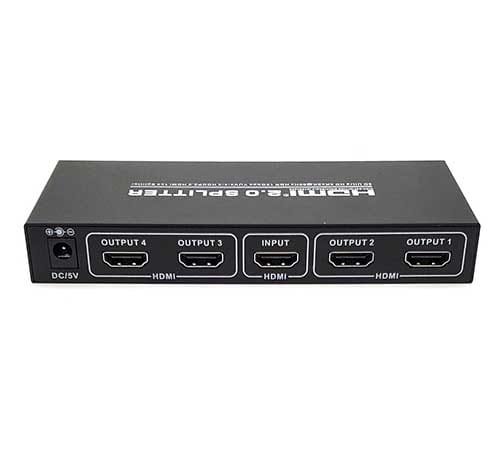
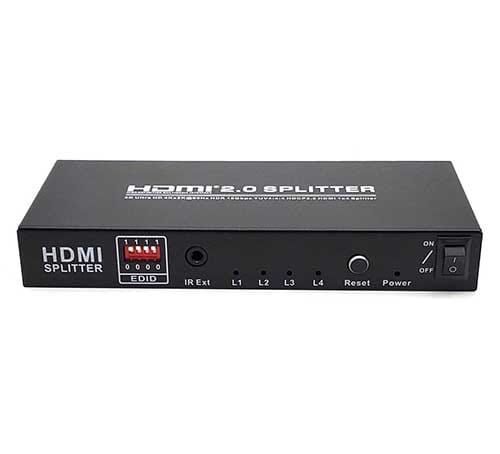
x4 HDMI Splitter, 4Kx2K@60Hz, EDID, HDCP 2.2, YUV 4:4:4
Product Detail
| HDMI Splitter is a product which can distribute HDMI signal without loss to one or more high definition display device such as HDTV. It can optimize your home theatre system to the best effect. HDMI signal is distributed from source device such as DVD, Satellite Receiver, Set-Top Box, DV Camera, A/V Receiver and other HDMI enabled device to high definition display device such as HDTV and HDMI Flat panel Display. The product can support EDID management function which includes 16 EDID modes that the user can choose from. There is a built-in IR extension function that can work with our HDMI repeater. The IR Extension function allows you to extend remote control IR signal through HDMI cable. Say you have a TV and cable box in the living room and second TV in the bed room upstairs. You can change cable channel either in the living room or on the bed upstairs with the cable box remote control. You do not have to go downstairs each time you want to change cable channel. IR adapters sold separately. Features:
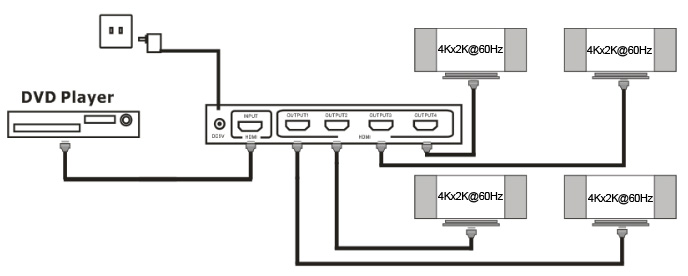
Packaging accessories: HDMI Splitter————————————————1 Pcs 5V DC Power Adaptor—————————————1 Pcs User Manual————————————————–1 Pcs Connection diagram
Connect the HDMI cable between signal source and input port of Splitter. Connect the HDMI cable between output port of Splitter and HDTV. Connect splitter and power adapter. Open the signal source and the power of HDTV, then it works. Explanation: With different brands of the input or output device, the length of the connecting cables will differ too. |